HOW IT LOOKS
Quiet, organized, yours
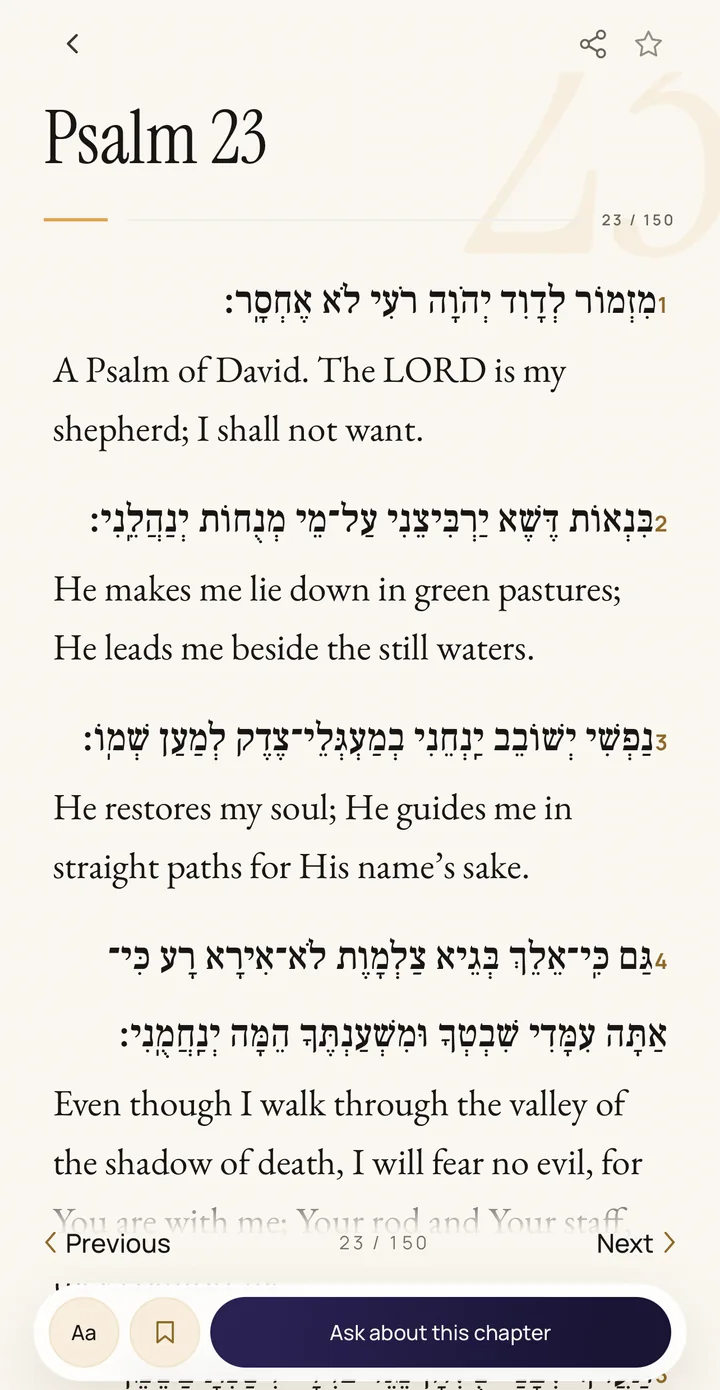
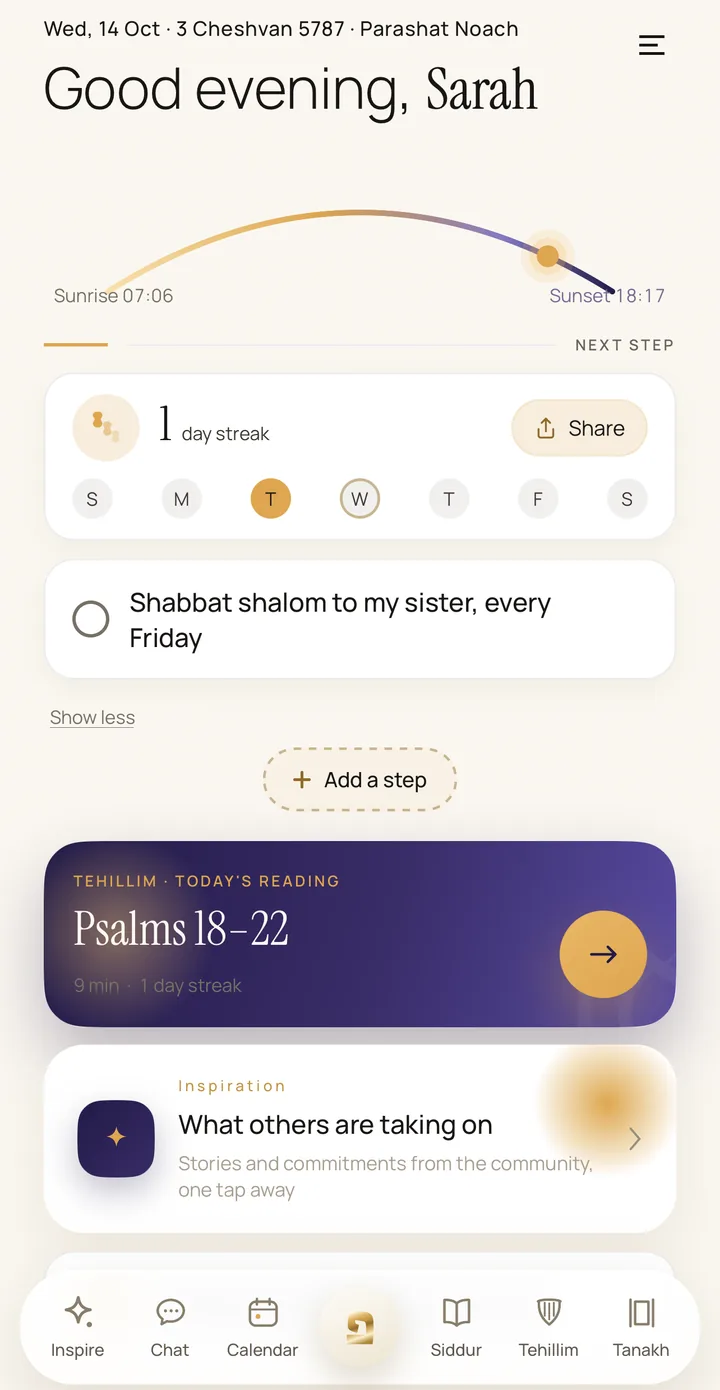
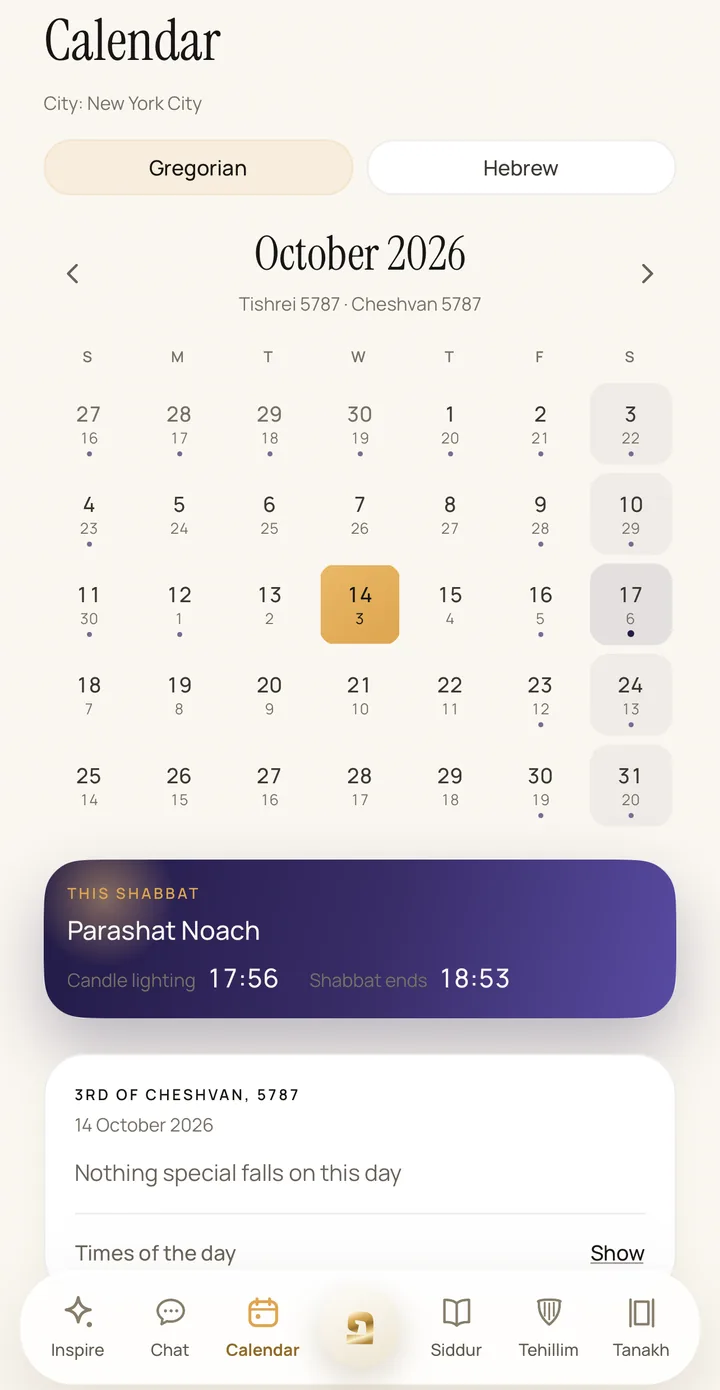
Screens from the app, in English. In every reader the Hebrew and the transliteration are one tap away.
Why we built Psia
Most Tehillim apps were built like digital books: everything is there, and that's exactly what makes them heavy.
Psia is for anyone who wants a little more Judaism in daily life, without taking it all on at once. Start with a short portion of Tehillim and one small commitment of your own; the Siddur, the Tanakh and the calendar are there whenever you want them. No ads, no flood of notifications.
Because a day you said one chapter is not a day you failed.
Step after step, at your own pace.
HOW IT WORKS
Three steps, and it's yours
Choose a small commitment
A ready-made commitment from the library or one of your own: 7, 30 or 40 days, or open-ended. Small enough to succeed.
Take a step every day
One quiet check mark a day on your Today screen, and a gentle reminder at a time you pick. A missed day moves the finish back by a day instead of resetting your progress.
See the path
Your Tehillim streak grows, your commitments fill up, and a finished commitment can be shared as an image card. Step after step.
TEHILLIM STREAK
A short portion a day,
a streak that stays
Daily Tehillim follows the traditional monthly division by the Hebrew date: a short portion each day, and the whole book every month. At 7, 30, 100 and 365 days a card is ready to share. No medals, no noise: just your path, filling up.
WHAT'S WAITING INSIDE
Everything in one place, and quiet
Tehillim, day by day
The traditional monthly division by the Hebrew date: a short portion each day in clear, modern English, with the Hebrew (full nikud) and a transliteration a tap away, and an estimated reading time. Alongside it, the chapter for your year of life and a pinned chapter for each person you love.
Siddur and Tanakh
A Siddur in Nusach Ashkenaz and Edot HaMizrach, for weekdays and Shabbat, and the complete Tanakh, all in English, with the Hebrew and a transliteration alongside whenever you want them. Every text is stored on the phone and opens even offline.
Commitments and streak
A commitment from the library or your own, for 7, 30 or 40 days or open-ended. Only the days you check off count, so a missed day moves the finish back by a day.
Inspire
Short stories from the community and the Psia team, each with the commitment behind it. Tap “I'll take it on too” and it is added to your day. Every story someone publishes is checked automatically and then by a person, and many posts are written by the Psia team and marked as such.
Calendar and Shabbat
Chagim, fasts with start and end times, Rosh Chodesh and the weekly parasha, with candle-lighting and Havdalah times for over 23,000 cities worldwide, shown on your city's clock.
A companion for learning and comfort
An AI companion for questions about Tehillim, prayer, the parasha and customs. It is not a rabbi and says so. Messages go to an external language model only after you agree, and chat history stays on your phone.
Widgets
Your Tehillim streak, a daily verse and today's commitments on the home screen, in the colors you pick. During a meat and dairy wait, the countdown stays visible outside the app.
Account and subscription
Sign in to sync your streak, commitments, favorites, highlights and personal chapters across devices. The Psia+ subscription renews automatically, monthly or annual, and is managed in your store account.
FAQ
Good to know
How do I cancel the subscription?
The subscription is managed by the store you installed the app from, not by Psia. On iPhone: Settings → your account → Subscriptions → Psia+. On Android: Google Play → Payments and subscriptions → Subscriptions → Psia. Deleting your Psia account does not cancel it.
Do I need an internet connection?
Mostly not. Tehillim, the Tanakh and the Siddur are stored on the phone and open offline. The Chat and Inspire tabs need a connection.
Who checks the posts in the Inspire feed?
Every story someone publishes is screened automatically and then read by a person on the Psia team before it appears in the feed. Many of the posts are written by the Psia team and are marked as such. Any post can be reported.
I switched devices. Where is my data?
Sign in with the same account on the new device and your streak, commitments, favorites, highlights and personal chapters sync. Chat history is saved only on the phone and does not move.
How do I add the widget to my home screen?
On iPhone: long-press the home screen → the + button in the corner → search for “Psia” → Add. On Android: long-press the home screen → Widgets → Psia → drag the widget onto the screen.
More questions? All answers on the support page